Keep a visitor directory ready for the next request
Use My Visitors to create reusable visitor records before you start a visitor request. The redesigned directory separates personal and shared records and makes it faster to find people by name, company, email, or tag.
Before you start
- Verify your email before creating, editing, or requesting a visitor pass.
- You can manage your personal visitors. Shared visitors can be managed by tenant administrators.
Create a visitor and make it easy to find
- 1. Find the visitor
- 2. Prepare visitor information
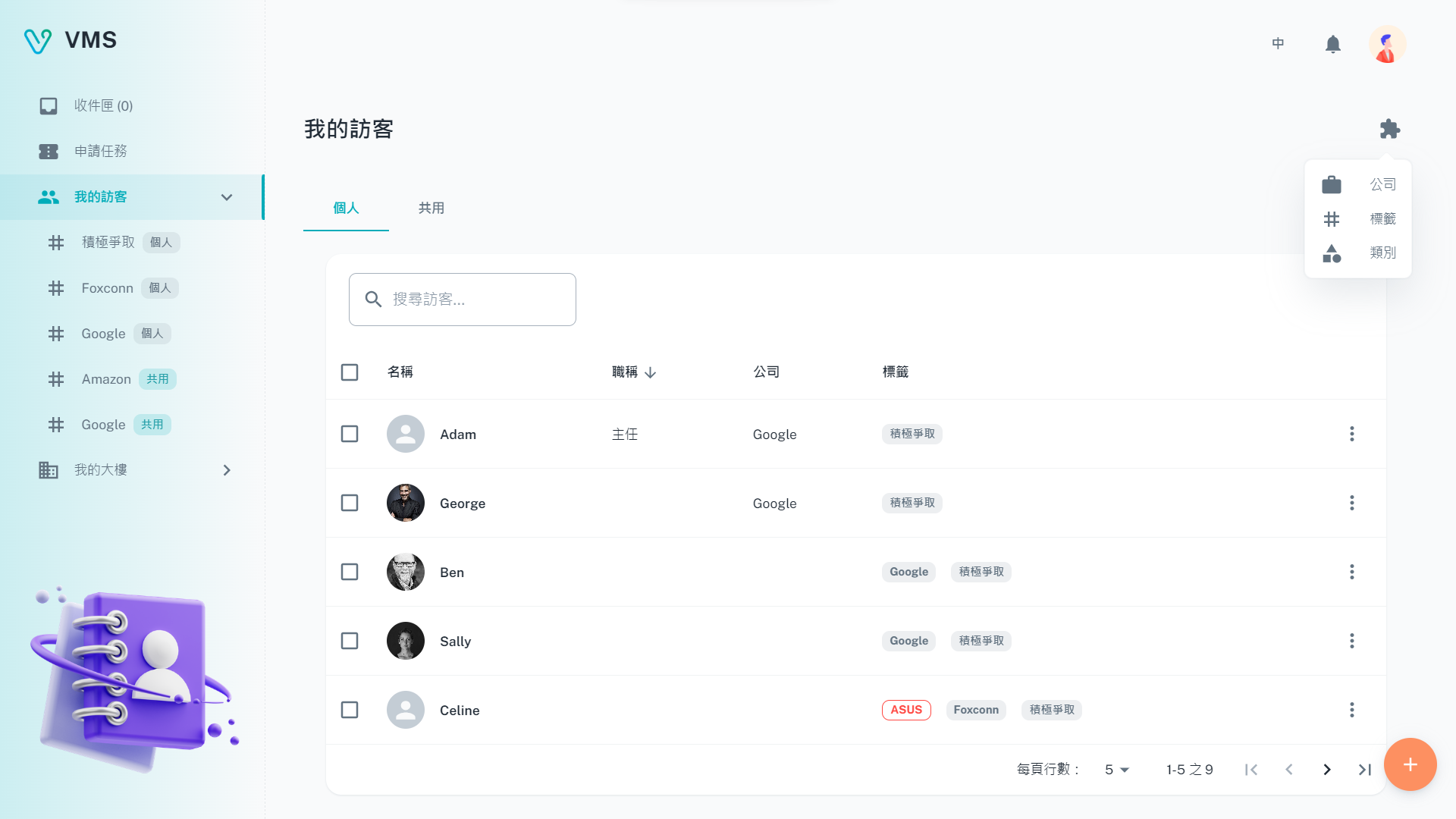
Start with the Personal or Shared directory and search for an existing visitor. The latest directory has a revised layout.
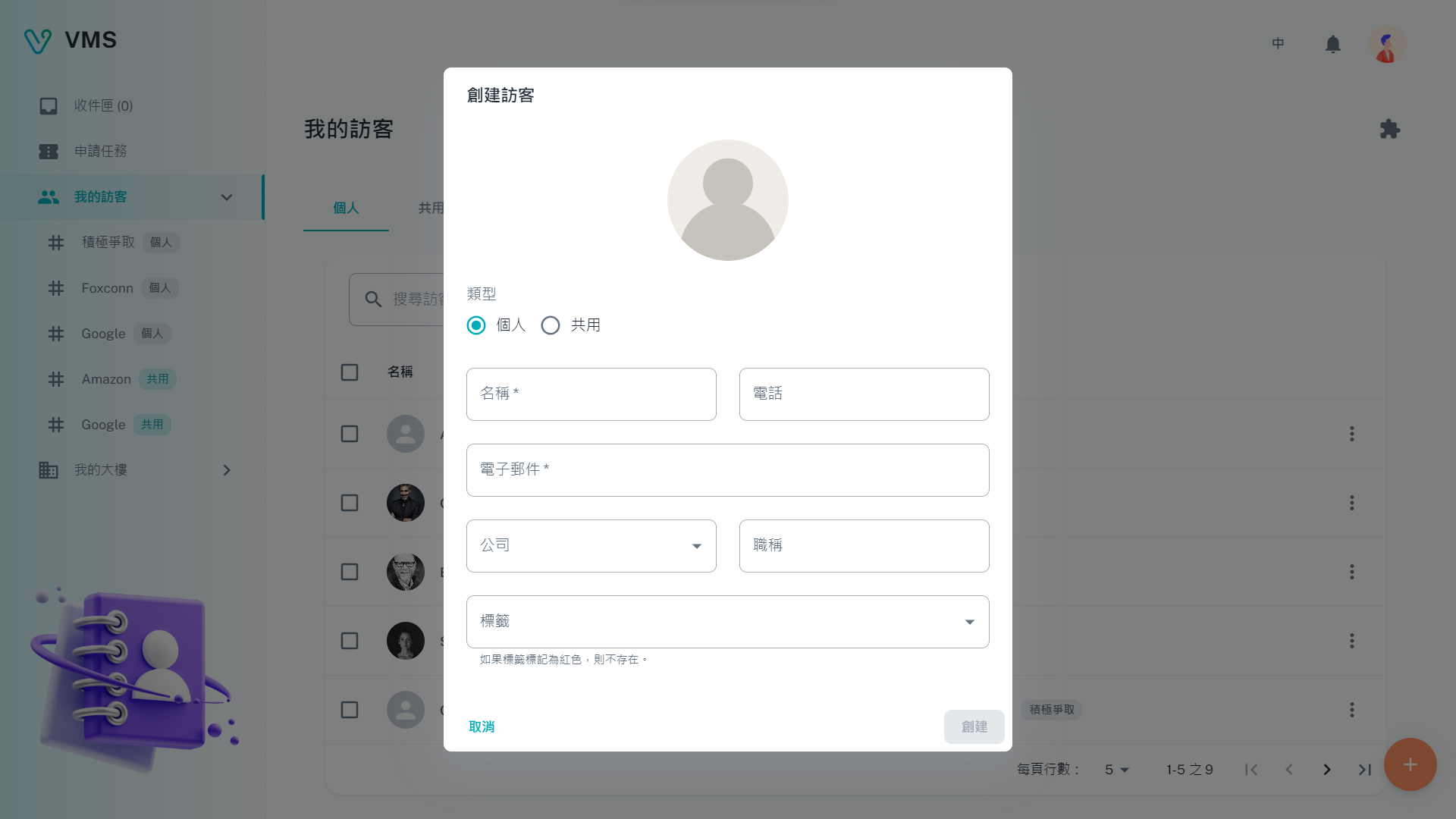
Enter the required name and available contact details. Save the record before choosing it in an application.
This earlier screenshot illustrates the feature. The current layout and button labels may differ.
- Open My Visitors and choose Create Visitor.
- Choose Personal or Shared. Shared records are available within the tenant company; personal records remain yours.
- Enter the visitor name. Add a valid phone number or email when you have it, then add job title, company, and tags as needed.
- In the Company or Tags field, type to search. If the item does not exist, choose the create option shown in that field; VMS opens a short company or tag form and adds the new item to the visitor when you save it.
- Save and confirm the visitor appears in the selected directory tab.
Outcome: the visitor can be selected by a visitor-selector field in a task.
Search, filter, and organize the directory
- Use the Personal or Shared tab to choose the record scope.
- Type a name, company, email, or tag in the search field. Sort the visible list by its available columns when you need a different order.
- Open Extensions to manage Companies, Tags, or Categories. Create, edit, or delete these reference records from their own dialogs.
- Use a visitor row's more menu to edit, delete, or resend that visitor's pass. You can select several manageable visitors and delete them together.
Changing a visitor between Personal and Shared clears its selected company and tags so you can choose records available in the new scope.
Resend a visitor pass for an existing booking
- Open the visitor row's more menu and select Resend Pass.
- Select the related ticket when the visitor has more than one booking.
- Check the pass's available time, then use Copy to copy its image or send it by email.
If there is no booking, VMS shows that no pass is available yet. Confirm the visitor email before sending mail.
Maintain Companies, Tags, and Categories
- Open Extensions, then choose Companies, Tags, or Categories.
- Create, edit, or delete the reference record from its management dialog. Companies accept name, address, website, and note; tags accept name and description; categories have their own type and name.
- Keep company and tag names unique within their Personal or Shared scope. Use the scope that matches the visitor who will use the record.
Changes to a company or tag are reflected in the directory records that use it. Categories are available to visitor request forms.
Next steps
Open Tasks and choose the visitor in the request form. Use Inbox to follow the resulting ticket.
Troubleshooting
- I cannot create or edit a visitor. Verify your email. For a shared record, ask a tenant administrator to make the change.
- A company or tag is missing. Check whether you are in the Personal or Shared scope; companies and tags are scoped the same way as the visitor.
- The visitor is not in the task selector. Save the visitor first, then reopen the selector. Confirm you created it in a scope available to the request.
- I need to remove a visitor. Delete it from the row menu only after confirming it is no longer needed; VMS asks for confirmation.