Add a colleague and set who normally approves their requests
Tenant administrators use User Management to add colleagues, choose their role, and set a default approver. Every user can also use the account menu to update their own profile.
Before you start
- User Management actions require a verified email and the tenant administrator role.
- The user name must be unique, 2–50 permitted characters long, and cannot use reserved common names.
- Choose an approver who is another tenant user; a user cannot select themselves.
Create or update a user
- 1. Find a user
- 2. Complete user details
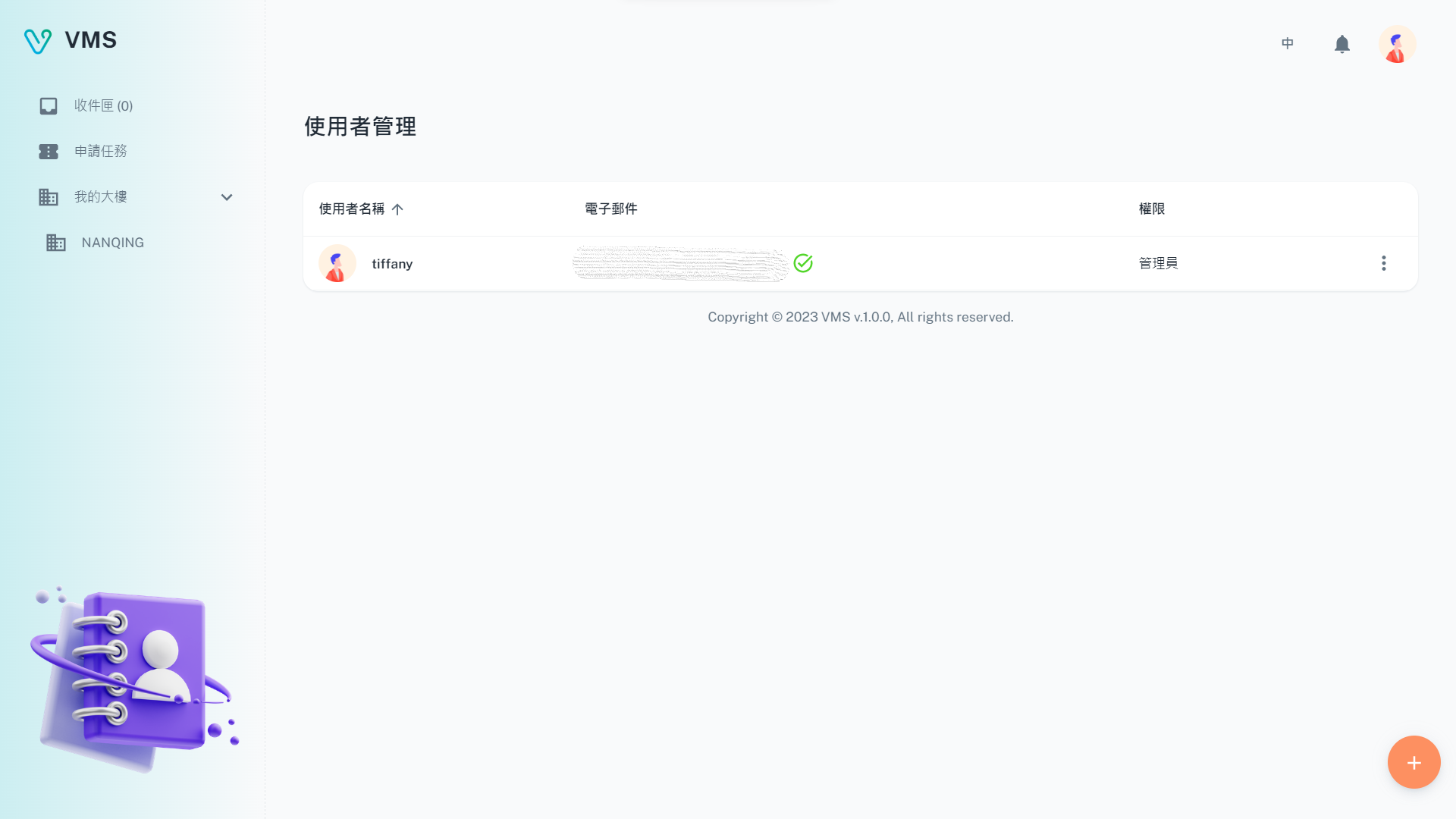
Check the user list before adding or changing an account, and confirm whether administrator access is needed.
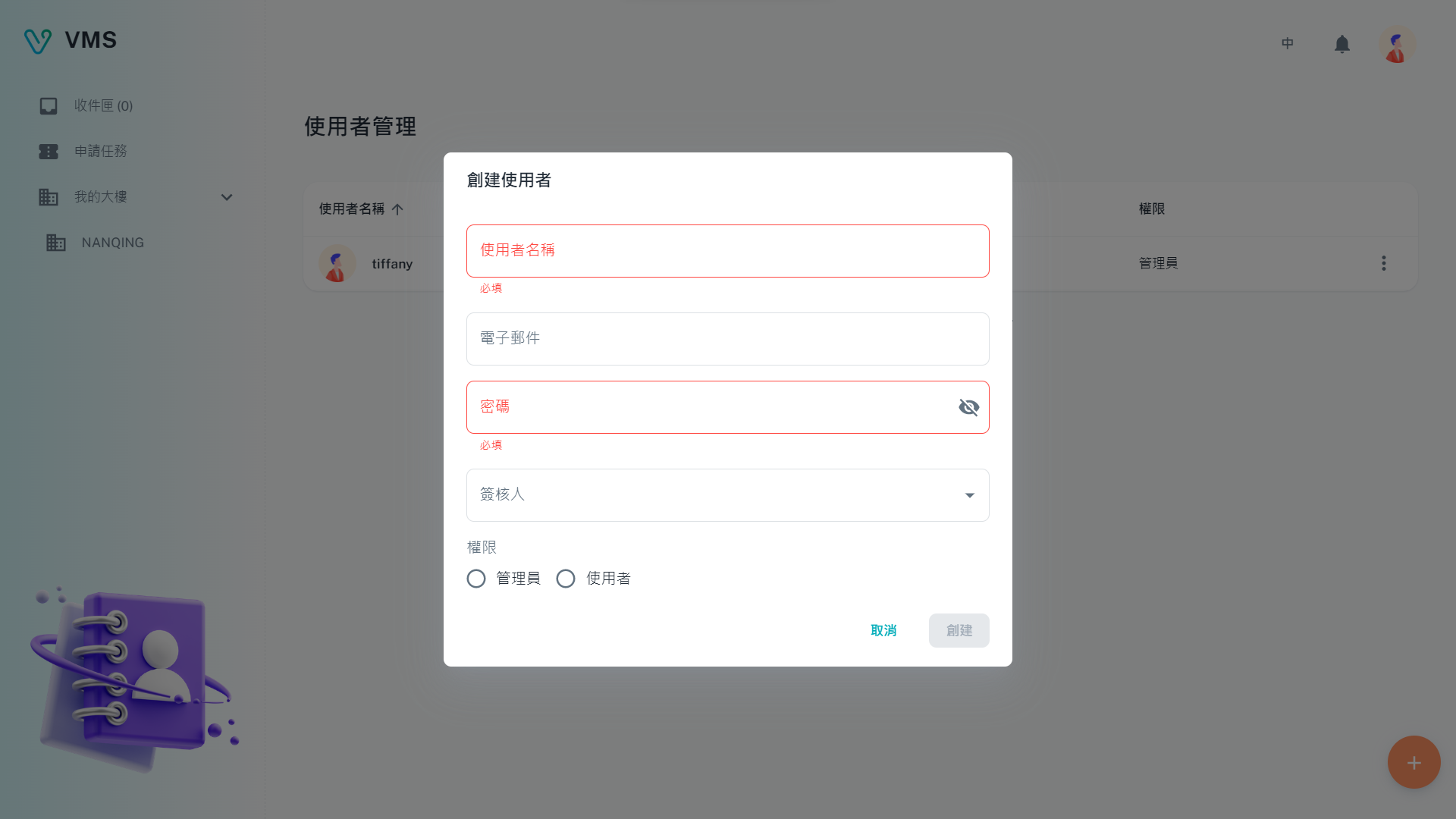
Check the account name, email, and assigned permission before saving.
This earlier screenshot illustrates the feature. The current layout and button labels may differ.
- Open User Management.
- Choose Create to add a user, or open a row's more menu and choose Edit.
- Enter the user name, display name, optional email, role, and default approver.
- Choose Administrator for people who manage users and building membership, or User for a standard tenant account.
- Select Create or Apply and confirm the user appears in the table. The table shows whether the email has been verified.
Outcome: requests can use the user's configured default approver where the workflow permits it.
Remove a user who has left
- In User Management, open the user's more menu and select Delete.
- Read the confirmation, then confirm the deletion only when the account is no longer needed.
Manage your own account
- Open the avatar menu and choose User Info.
- Update your available profile details, password, or default approver.
- Save the change, then use Inbox to check work assigned to you.
Next steps
New colleagues can join the appropriate building through My Buildings and start work in Tasks.
Troubleshooting
- User Management is not visible or actions are disabled. Verify your email and ask an administrator to confirm your role.
- The user name is rejected. Use a unique permitted name and avoid reserved common names.
- The approver is unavailable. Pick another user in the tenant company; the account being edited is excluded from the approver list.
- A user does not receive mail. Check the saved email address and its verification state shown in the user table.