What is VMS?
A customer is visiting tomorrow, or a contractor crew needs access next week. Before they arrive, you need to provide the building with their names, schedule, and planned work. VMS (Visitor Management System) connects that process: tenants apply, approvers review the details, and building managers check entry requirements and maintain access records.
A typical journey is prepare personnel → create a task → complete tickets → obtain approval → follow the building’s entry requirements. Creating a task does not mean access has been approved. Check the result and required documents before arrival.
Choose your role
| What you need to do | Start here |
|---|---|
| Invite visitors or apply for construction or garrison access | Tenant quick start |
| Prepare building data, review applications, or check arriving personnel | Building Manager quick start |
| Act on an approval, account, or toolbox meeting notification | External workflow quick start |
You may use more than one entry point. Choose the route for the work you are doing today; you do not need to read every feature first.
What you can accomplish
Tenants: arrange a visit and follow the result
Confirm the destination in My Buildings, then prepare the people in My Visitors. In Tasks, choose a building template and complete the applicable forms and approver details. Open a ticket to follow its approval progress. Applications that need your approval are handled in Inbox.
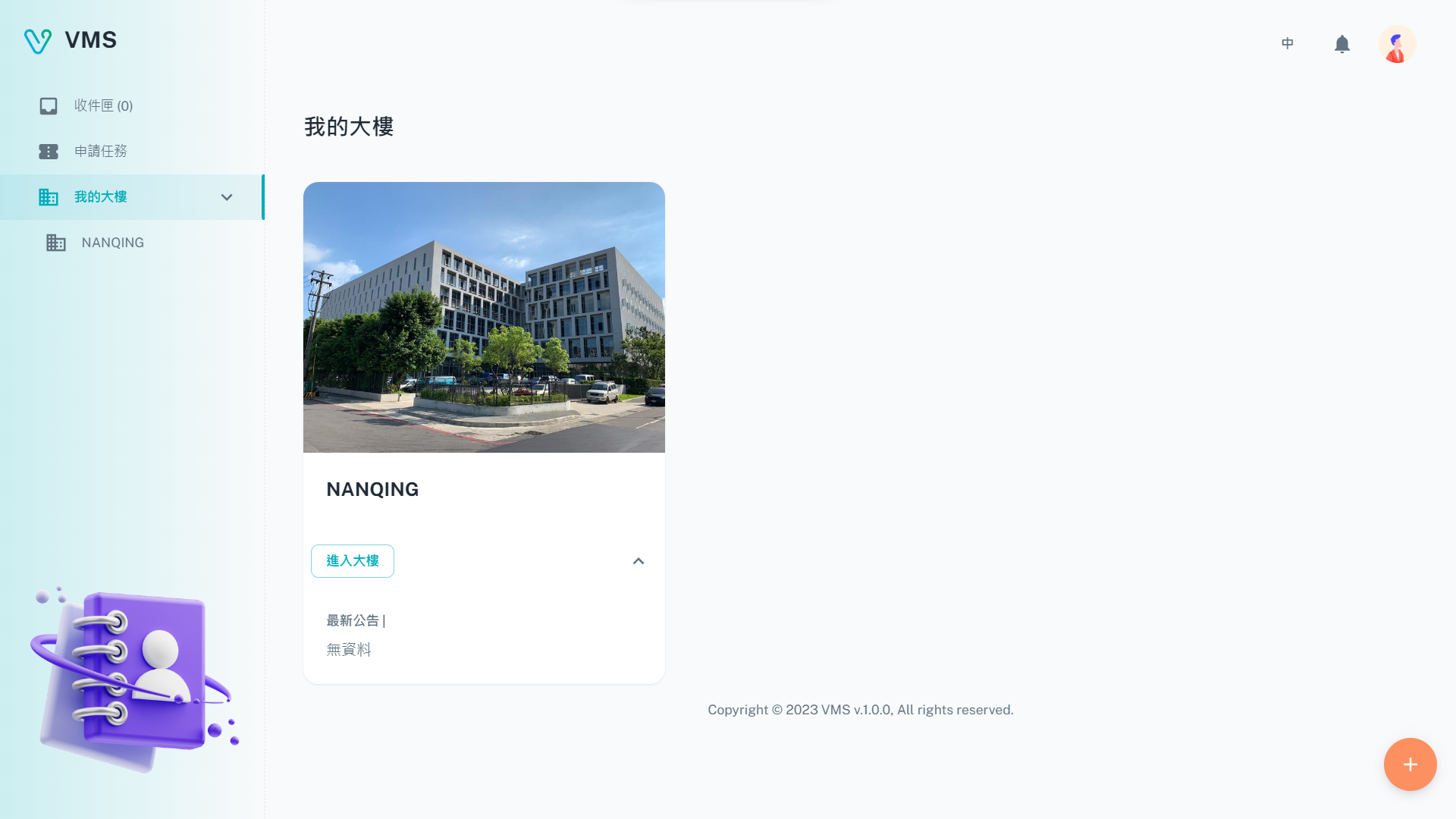
Each card is a building your tenant unit has joined. Before arranging a visit or construction work, use this page to confirm that the destination is available to your unit.
This earlier screenshot illustrates the feature. The current layout and button labels may differ.
Building managers: prepare the building and handle daily requests
Invite Registered Units, maintain Contractors and personnel, and configure application content and flows in Template Management. For daily work, start with Inbox, Construction Applications, or Guest Applications.
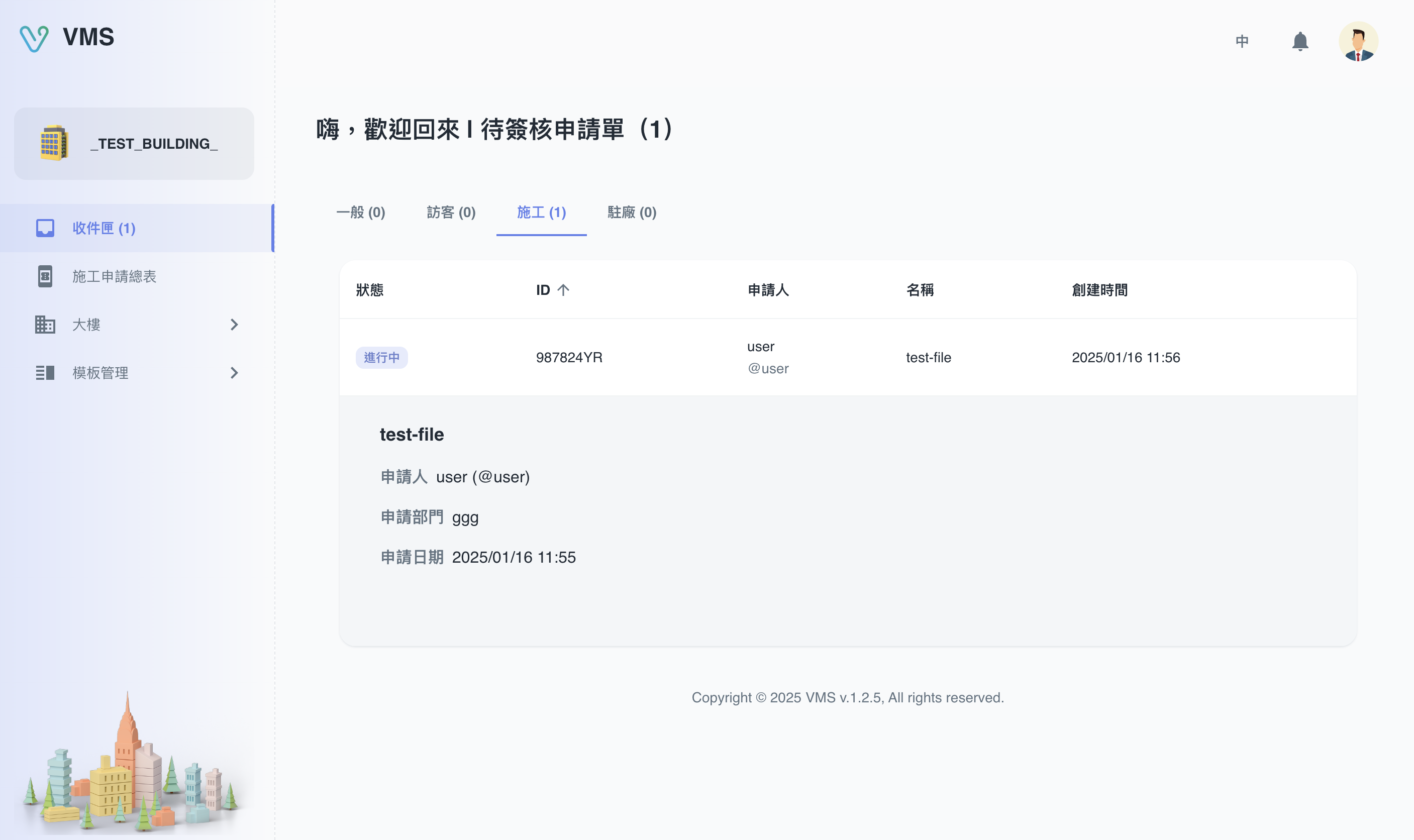
Building managers use Inbox to find applications that need their review. Open a ticket to check its content and approval progress.
This earlier screenshot illustrates the feature. The current layout and button labels may differ.
Notification recipients: complete the requested action
Dedicated links open the relevant external page. You may need to approve a ticket, complete an account action, or complete a toolbox meeting and signatures. Follow the notification and check the result after submitting.
A few terms you will see
| Term | What it means in practice |
|---|---|
| Building | The destination for the visit or work. Each building can have different templates and entry requirements. |
| Form template | A reusable blank form defining questions and approvals. |
| Task template | A flow combining form templates; answers can determine which forms apply. |
| Task | One piece of work submitted by a tenant, such as a construction application. |
| Ticket | One form to complete and process within a task. A task can contain several tickets. |
| Contractors and personnel | Building-managed companies and people. Confirm personnel are qualified before selecting them for construction or garrison work. |
| Approval | Review by the people specified in the flow. Progress shows whose action is needed. |
Flows without conditions follow their configured order. Conditional flows show forms according to answers. See Tasks for the rules.
Before you start
- Tenant: sign in at the Tenant login page, complete required email verification, and confirm your destination in My Buildings. If invited, complete the invitation first.
- BM: sign in at the BM login page and confirm the building and your permissions. Settings and user management may require administrator access and email verification.
- External workflow: use the complete link from the original notification. Check the recipient, building, and application; do not forward personal links.
Next
For your first session, choose a complete route in Quick Start. To look up a specific operation, go to the Tenant, BM, or External Workflows manual.