Task Templates
Construction work may need a general application, a safety confirmation, and an extra form for particular work. A task template combines these into one flow so tenants can complete the applicable applications within one task.
Before you start
Prepare Form Templates in the same building and confirm the application type and intended users. The person responsible for template maintenance should handle changes. If basic information is read-only or publishing is absent, ask the system maintainer for help; do not assume those operations are available.
Scenario 1: arrange several forms into one application
- 1. Combine forms into a task
- 2. Check form order
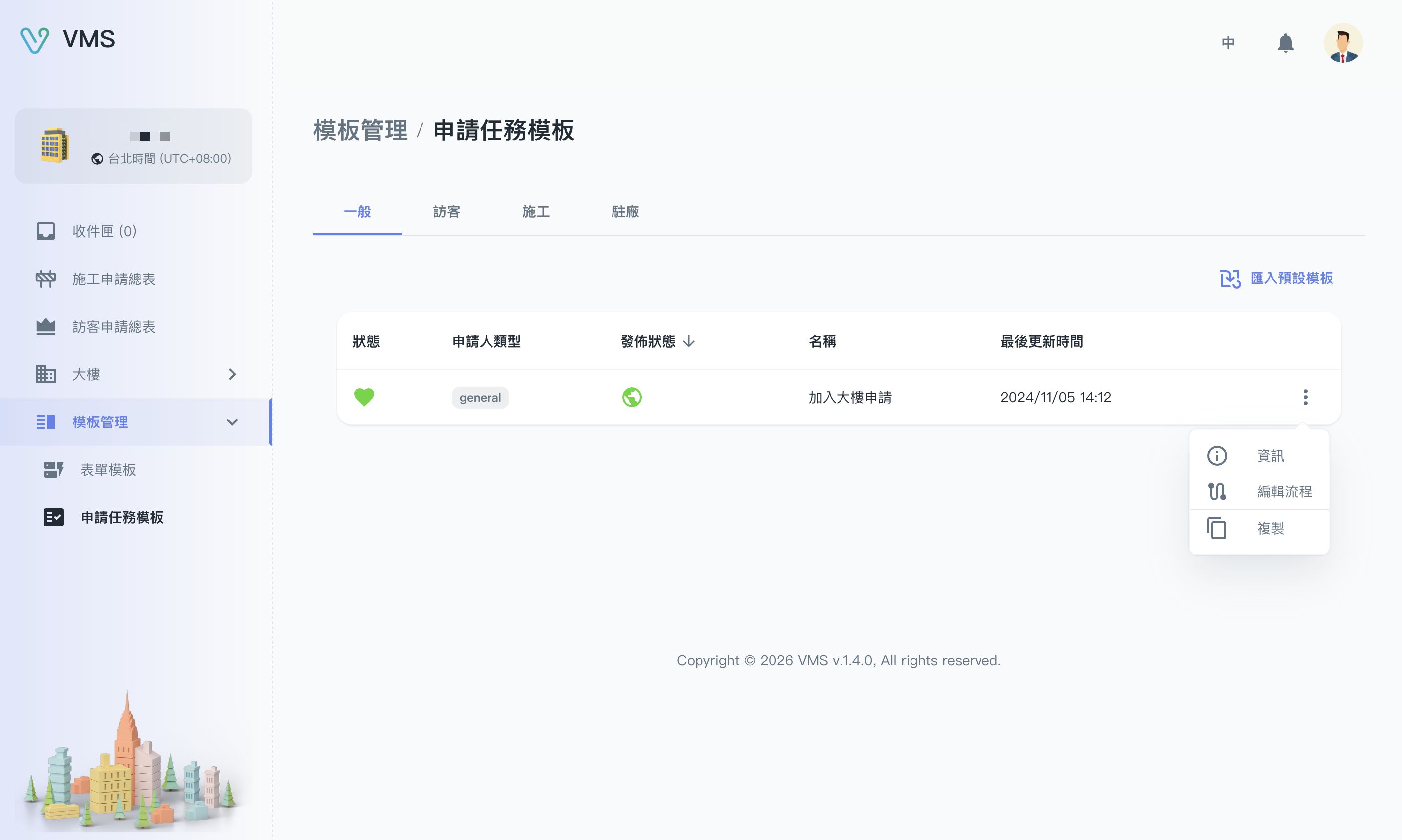
Choose the application type, then use the flow action to arrange its forms. Available menu actions depend on your account.
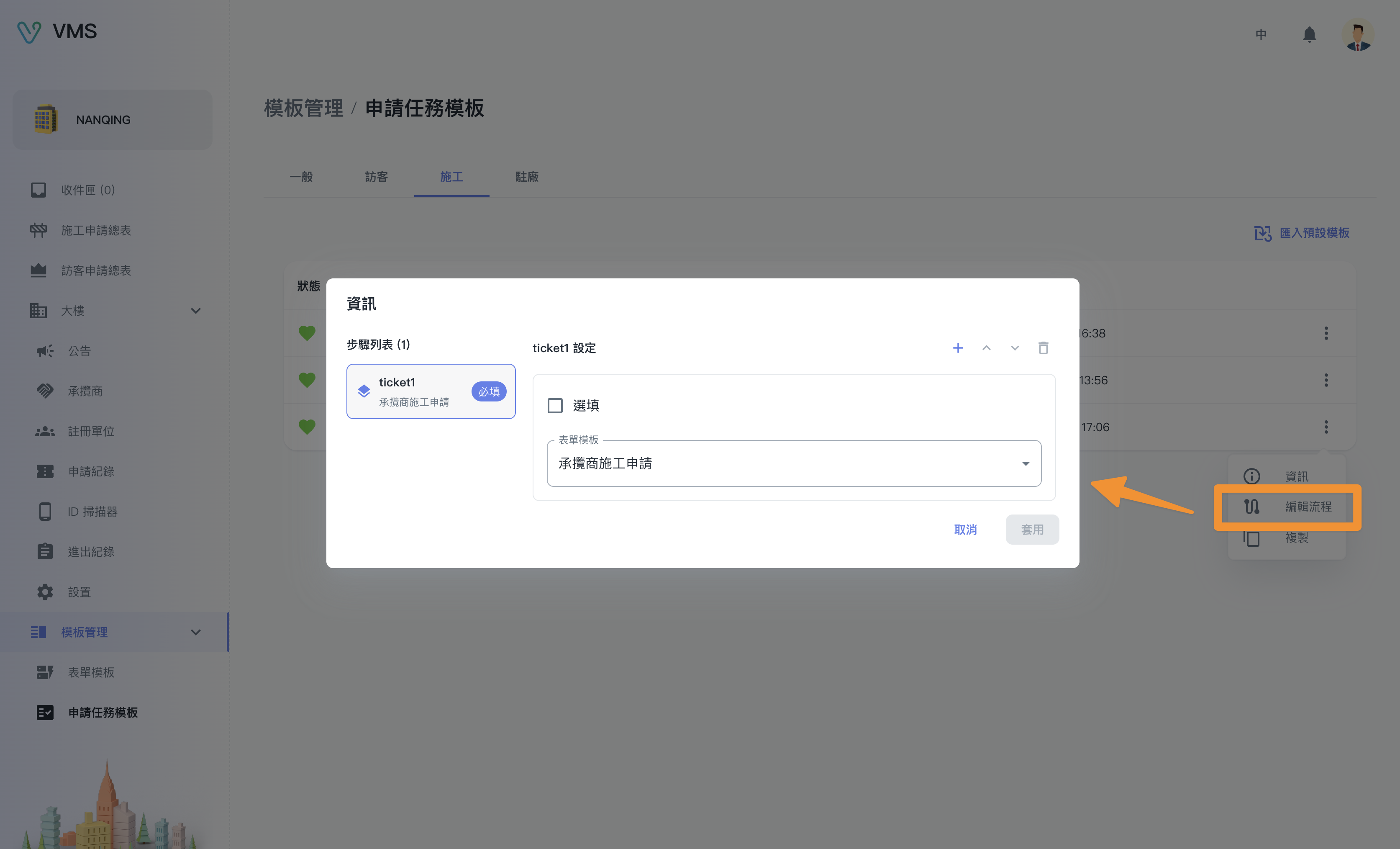
Check the bound forms and their order. This earlier flow screenshot does not show the new conditional-form settings.
This earlier screenshot illustrates the feature. The current layout and button labels may differ.
- Open Template Management > Task Templates and select the application type.
- Find the template. To start from an existing flow, use Import Default Template or Copy and follow the available actions to create and name a copy.
- Open More > Edit Flow. Select a form in the Steps list on the left and configure that step on the right.
- Select Add step, choose its actual form in Select Form Template, and add the remaining forms in order.
- Mark a step Optional when tenants should decide whether to fill it.
- Move steps up or down as needed, then select Apply to save. Keep at least one step.
Result: each step is bound to a form and tenants can follow the available flow. If closing warns about unsaved changes, cancel closing and apply the changes to keep them.
Scenario 2: add a form only for particular work
Suppose the first form asks for a work type and a later supplementary form is needed only for one choice. This is an example; your building defines the actual options.
- Put the work-type form first and the supplementary form later.
- Select the supplementary step and enable Conditional display.
- Wait for source fields to load, then choose a question from an earlier form. Check the form and section names to select the correct source.
- Set the operator and comparison value, such as a multiple-choice work type that “contains” a particular option.
- For several rules, choose Match all rules or Match any rule. Select Done to check the summary, then Apply.
Result: the supplementary form activates only when the tenant’s answers match. An inactive form does not require completion and should not be treated as a submitted ticket for this application.
| Setting | What tenants experience |
|---|---|
| Required, without a condition | Complete this form. |
| Optional, without a condition | Choose whether to fill it; filled content must satisfy the form’s validation. |
| Conditional form | Earlier answers determine activation; required or optional rules apply once active. |
New conditions clear content when the form becomes inactive by default. Tell tenants to recheck later forms after changing earlier answers: content may disappear and need to be entered again.
Recheck after changing a source form
Sources must be questions from earlier bound forms that can be loaded. Deleting a source step, reordering it, replacing its form, or deleting a comparison option can invalidate conditions. Note and Ranking cannot be used as new condition sources.
If a source is deleted, a comparison value is unavailable, or loading fails, correct the source before applying. Closing the dialog is not confirmation that it saved.
Help tenants find the right entry point
- General, visitor, construction, and garrison tasks: tenants select the same building and application type in Tasks.
- Joining a building: a valid join-building task template is needed for applications from My Buildings.
- A form is missing from Select Form Template: confirm that it is released and matches the task template’s applicant type, application target, initiator, and closing role.
- Missing template: check the building, type, configuration status, and availability. Ask the maintainer to handle publishing when the page does not offer it.
Next: follow the Tenant quick start with a concrete application. Check both matching and non-matching answers and confirm the resulting tickets are what you expect.