Investigate building entry and exit records
Use Events when you need a building-wide view of guest clock-ins and clock-outs. The dashboard reports the selected period and loads matching records from the server page by page.
- Open Events and use the filter menu.
- Choose today, this week, this month, this year, or Custom. Custom unlocks both clock-in and clock-out date/time ranges.
- Enter or choose a guest company, then apply the filter. Search by guest name from the table toolbar for a narrower result.
- Use pagination to move through matching server results; changing a filter returns to the first page.
- Use the row action to edit an event, or open its guest-note action to audit pre-entry evidence in the searchable drawer and print an individual note.
Export after setting filters; the file represents current filtered records. If an event is absent, widen both time ranges and confirm the company spelling. For device-specific scans, use ID Scanners.
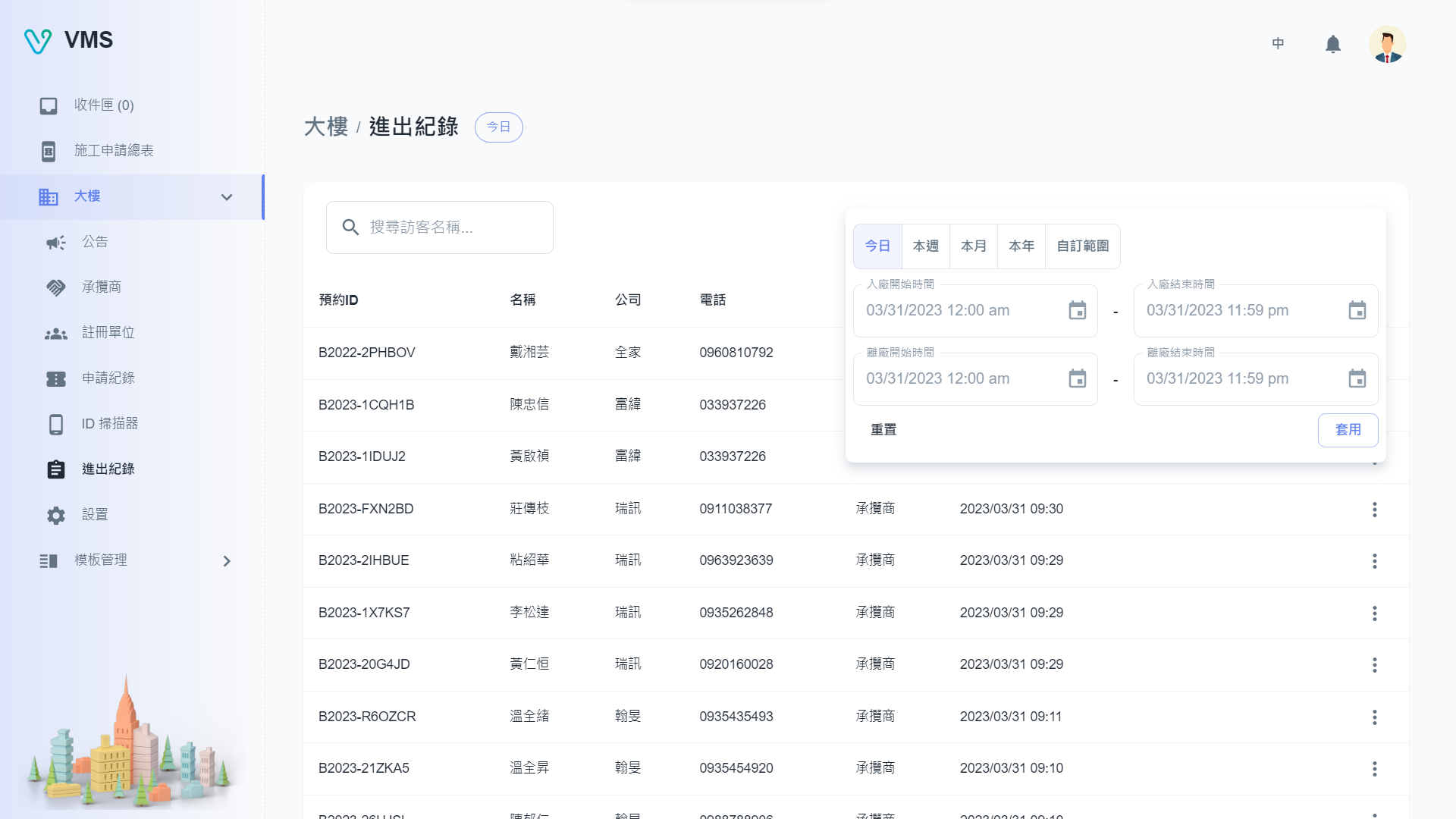
Use the access record list to check recorded arrivals and departures, then confirm filters before exporting.
This earlier screenshot illustrates the feature. The current layout and button labels may differ.