Invite a tenant unit and track whether it is active
Administrators use Registered Units to invite a tenant directly into the building and review its users, note, applicant types, and last login. The dashboard is searchable by company, ID, or note and summarizes units, accounts, recently active units, and units that have never signed in.
- Open Building > Registered Units; your email must be verified.
- Select Invite, enter the unit name, user name, email, and language, then send the invitation.
- Ask the recipient to complete registration from the email. The unit then joins the building directly without a join-building approval ticket.
- Use search to find a company, registration ID, or note. Use More > Edit to update it, or inspect active tickets before removing the unit.
Confirm deletion only when removal is intended; it cannot be restored. If the tenant must go through approval, have it submit a join-building request instead. Continue to Settings.
- 1. Find the unit
- 2. Invite the administrator
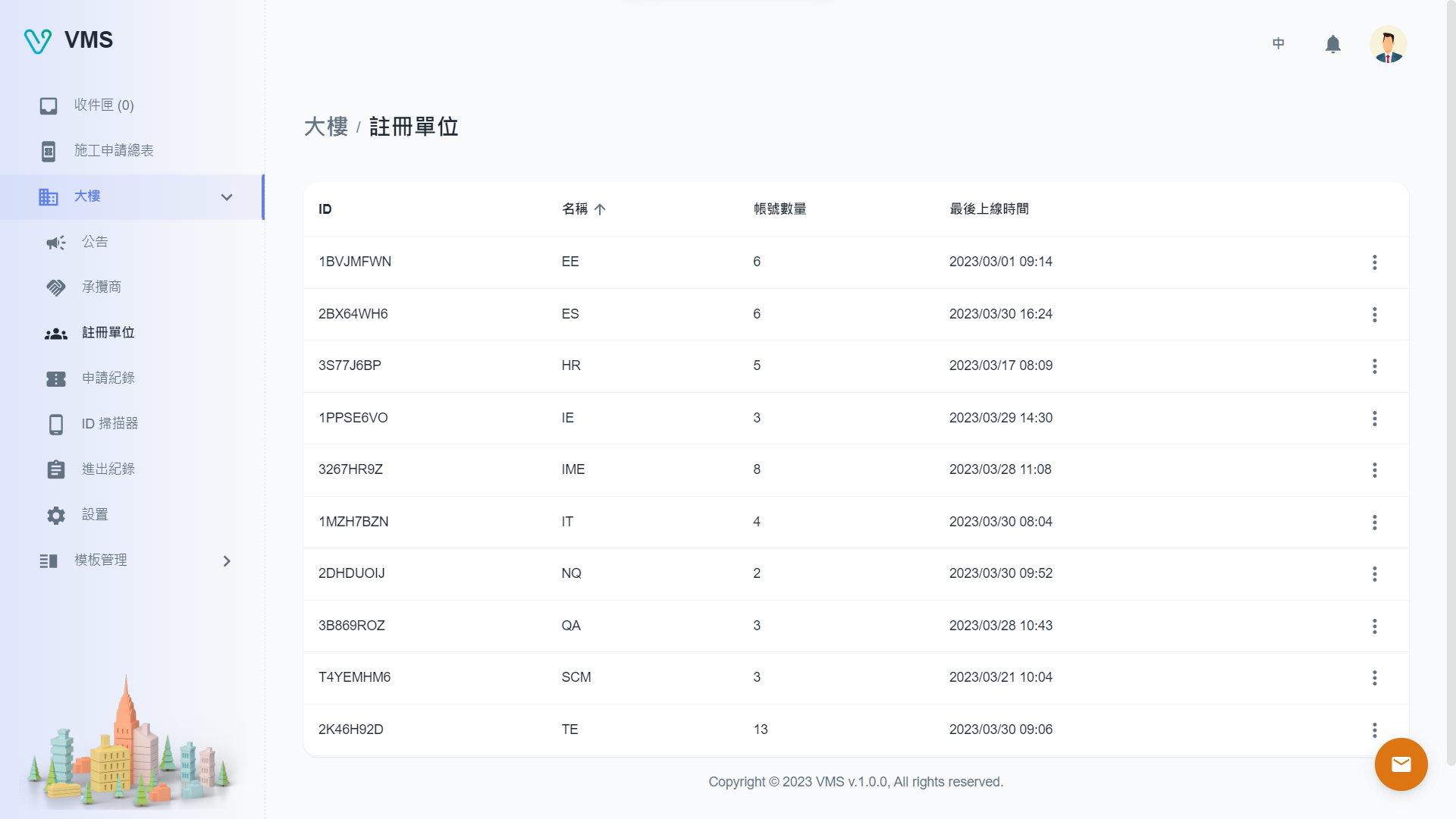
Search the building’s registered units before sending another invitation.
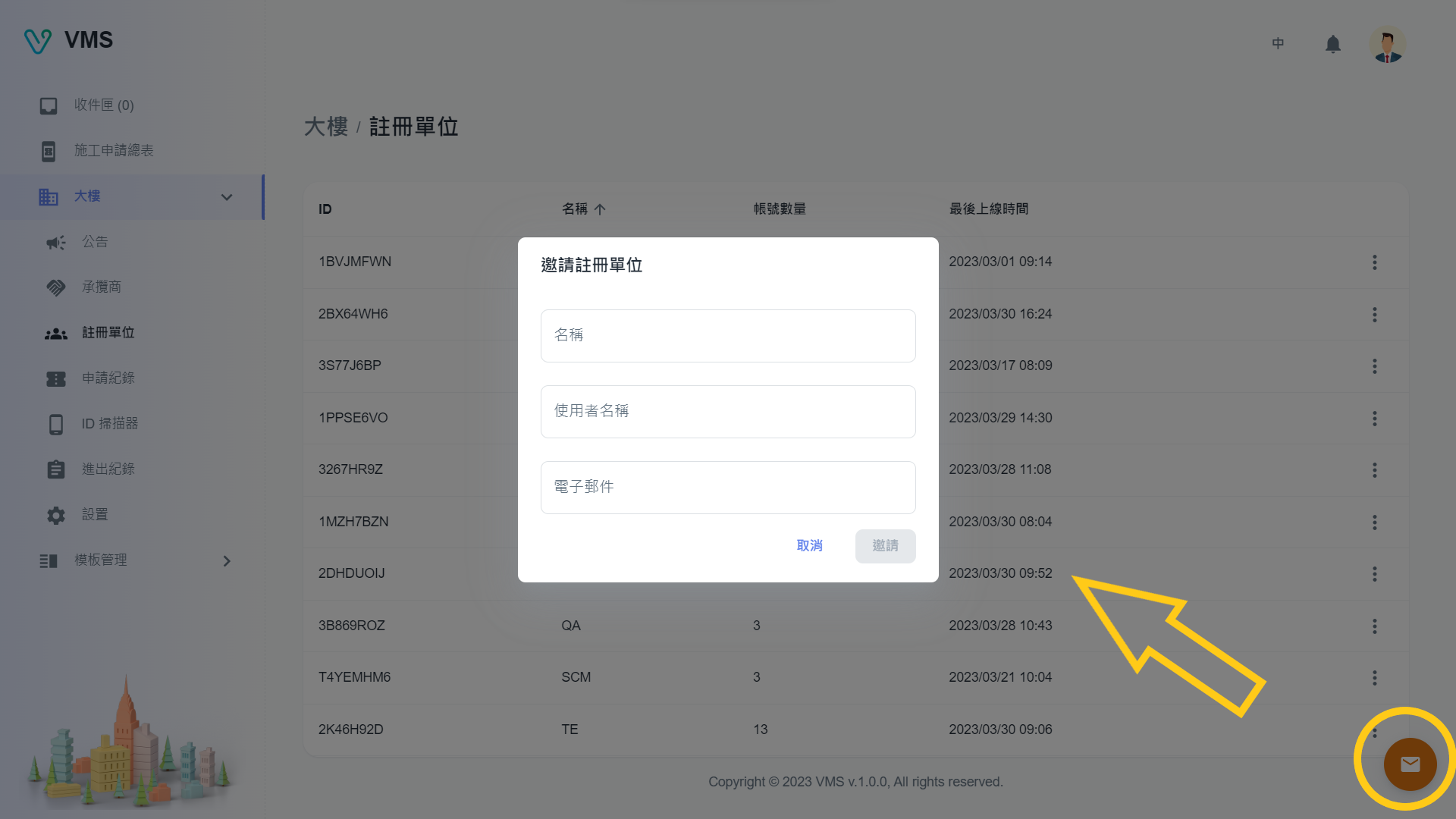
Enter the unit name, username, and email. The recipient joins the building by completing registration from this invitation.
This earlier screenshot illustrates the feature. The current layout and button labels may differ.